IP-Guard
What is IP-guard
Intellectual Property Guard
IP-guard is an intranet security management suite.
Applying a systems-management approach, it combines operation auditing, permission control and document encryption
to solve intranet security problems across information protection, behaviour management and system operations.

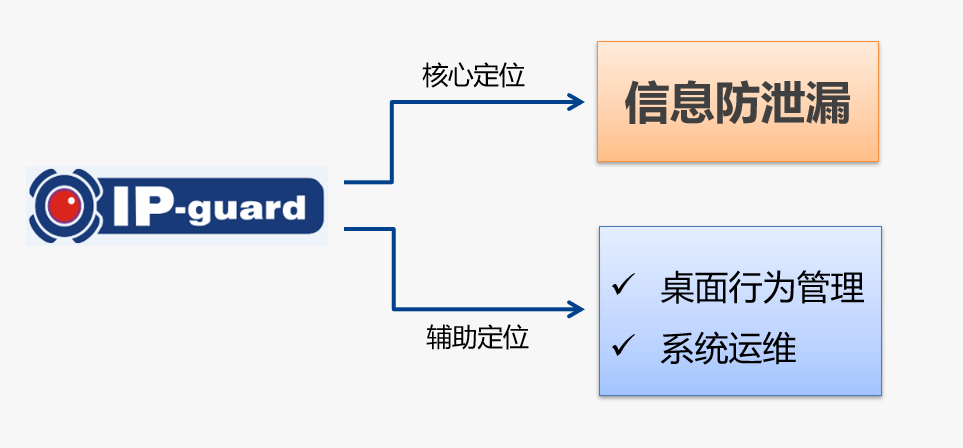
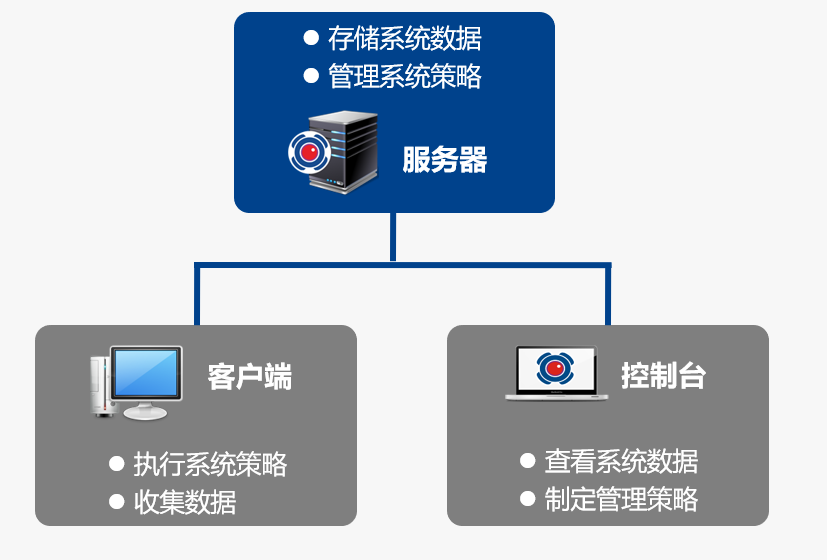
IP-guard positioning and architecture
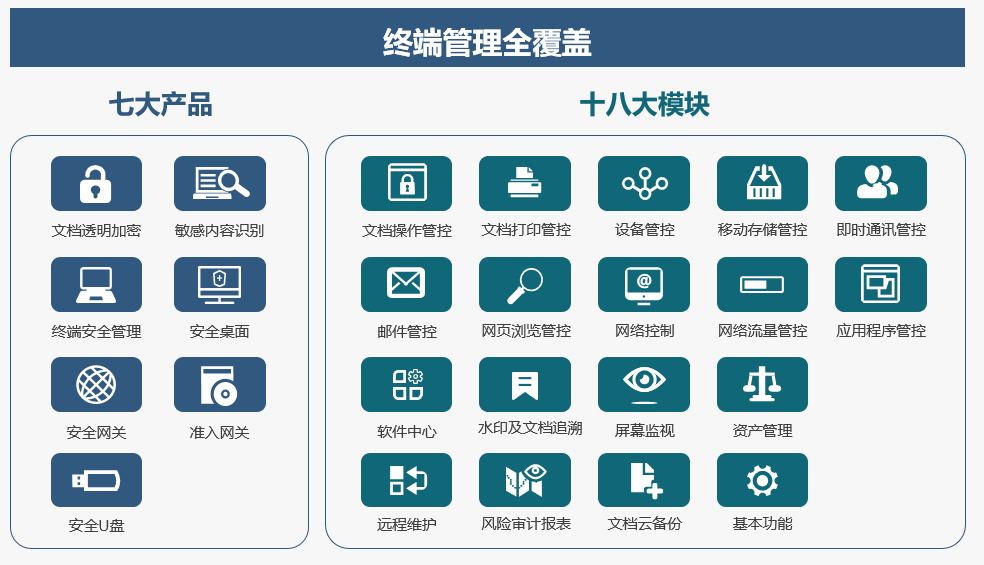
Comprehensive
Core architecture — mandatory modules
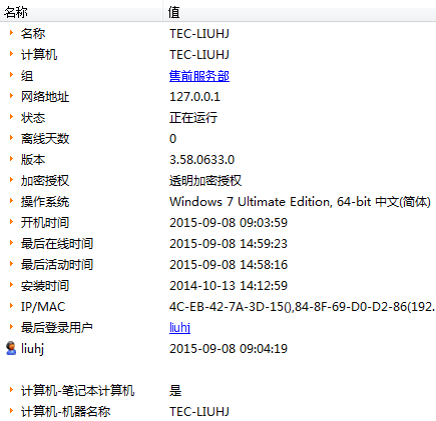
Inventory core computer information
and act on machines remotely:
lock, unlock, log off, shut down, restart and send messages
Control permissions for 30 system functions
Support for 14 alarm types
Document operation control
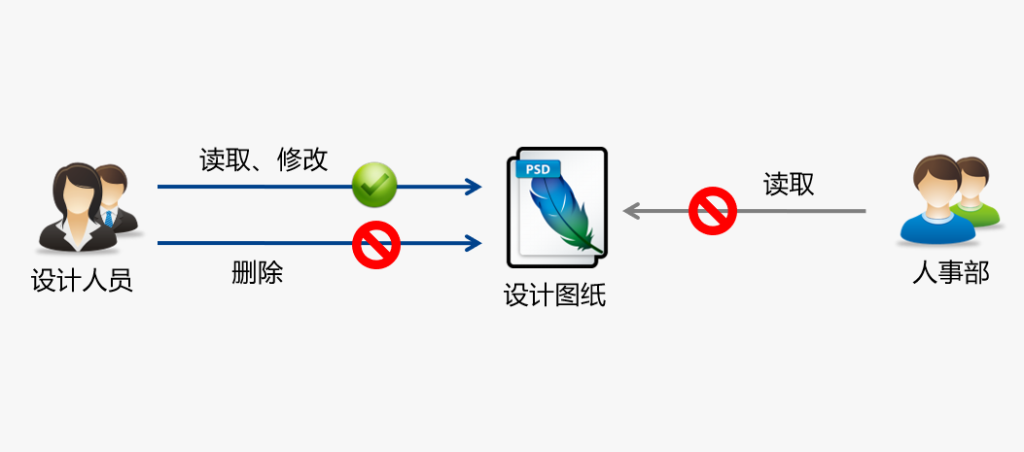
Restrict document rights
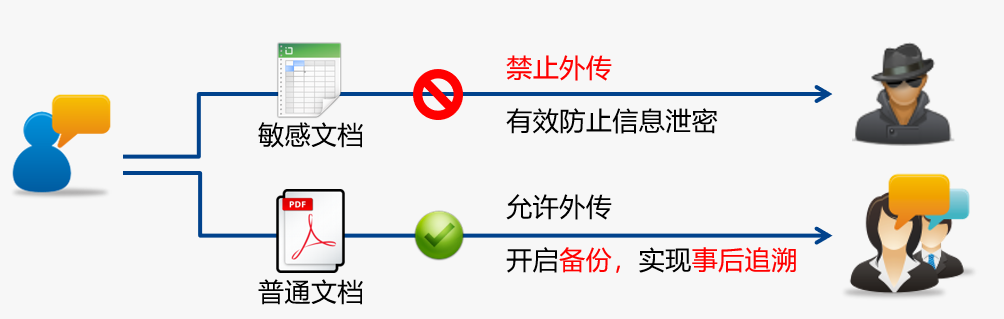
Limit read, modify and delete rights to stop unauthorised access spreading confidential material,
and to prevent deliberate or accidental damage.
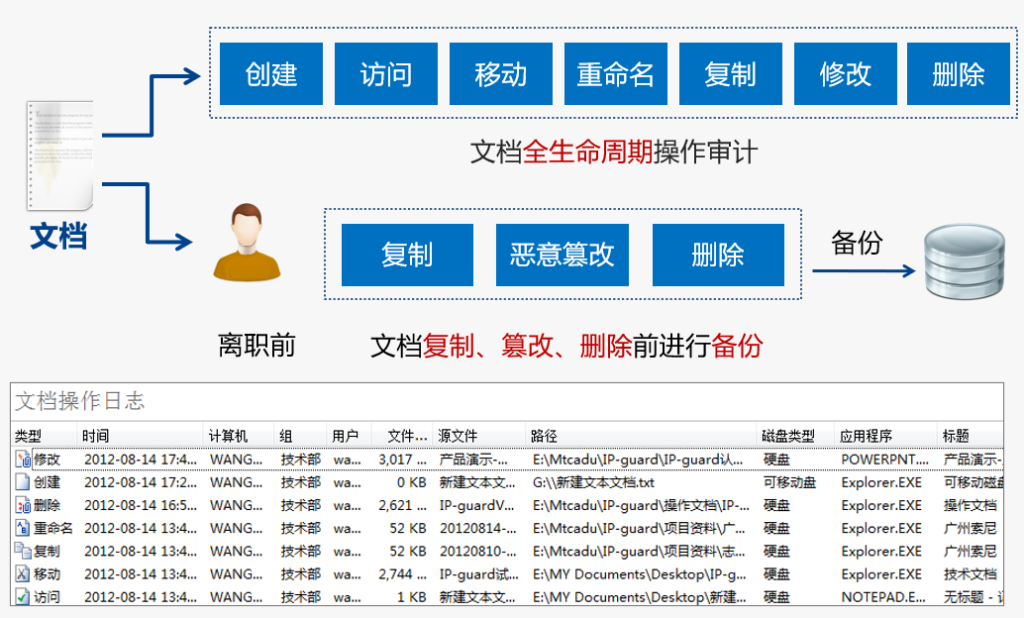
Detailed document operation logs
Print control
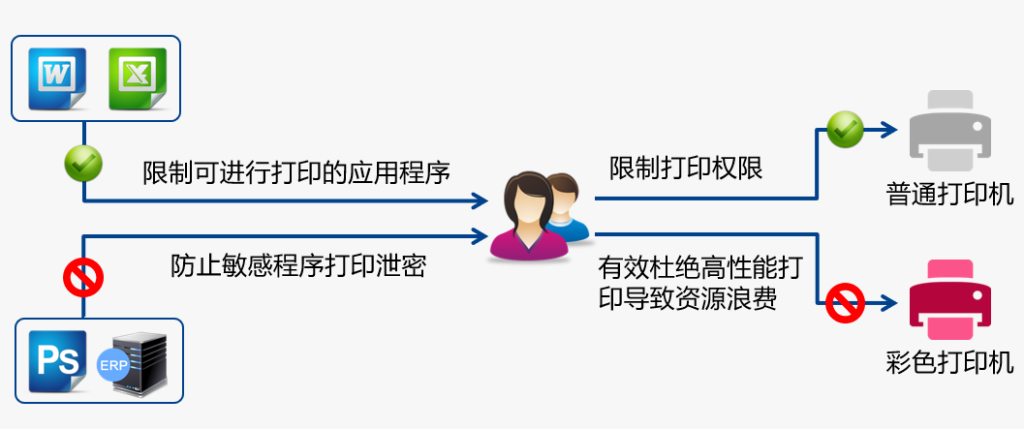
Control printing rights:
Manage access to local, network, shared and virtual printers.
Record print activity: log every print job, including time, user, file name and page count, for later audit and leak prevention.
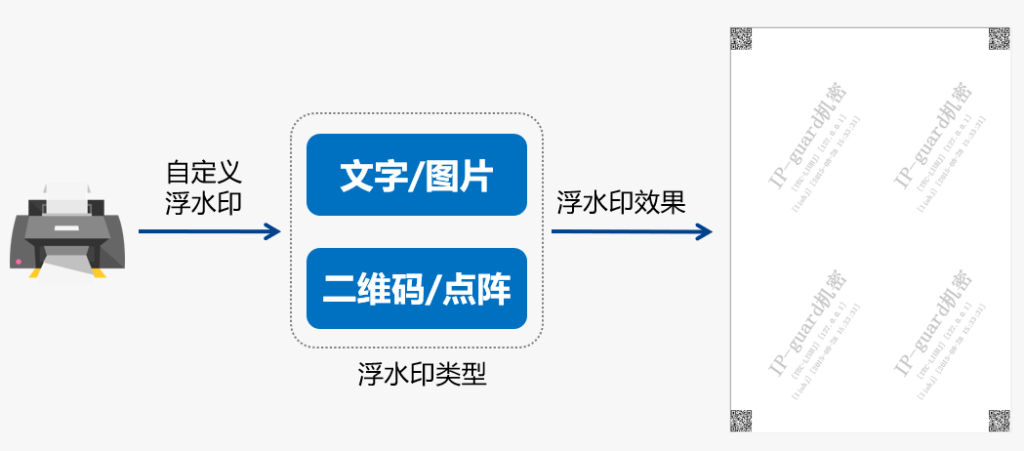
Print watermark: papers show the printer’s computer name, IP address, user name and print time, pinpointing who printed what.
Device control
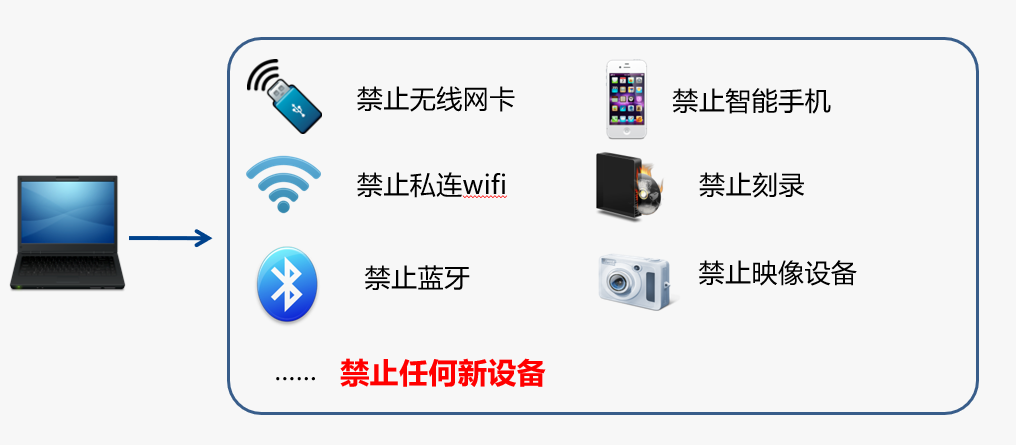
Control peripheral usage: granular USB control covering all kinds of peripherals, with fine-grained rules based on device description.
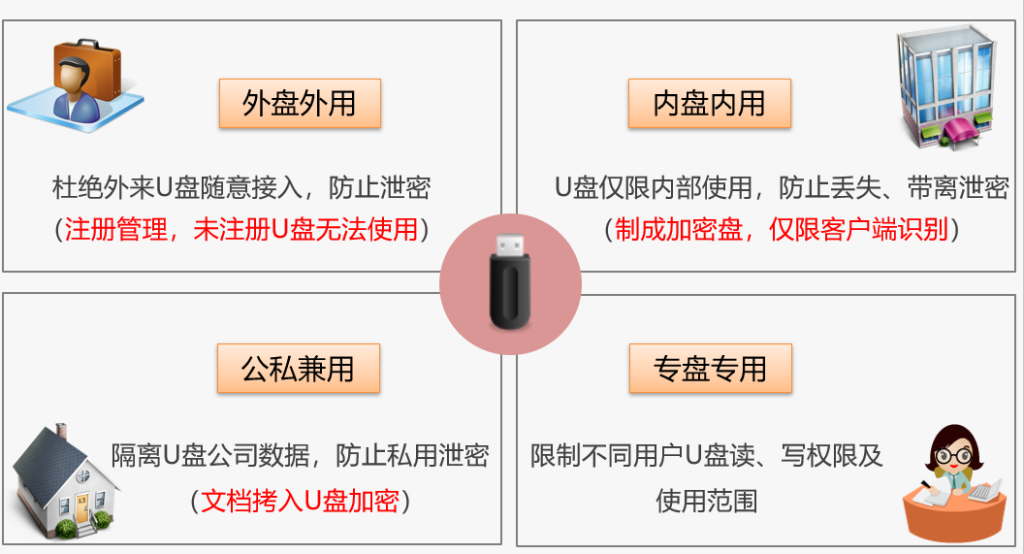
Removable storage control: fine-grained control and auditing of USB drive usage.
Instant messaging control
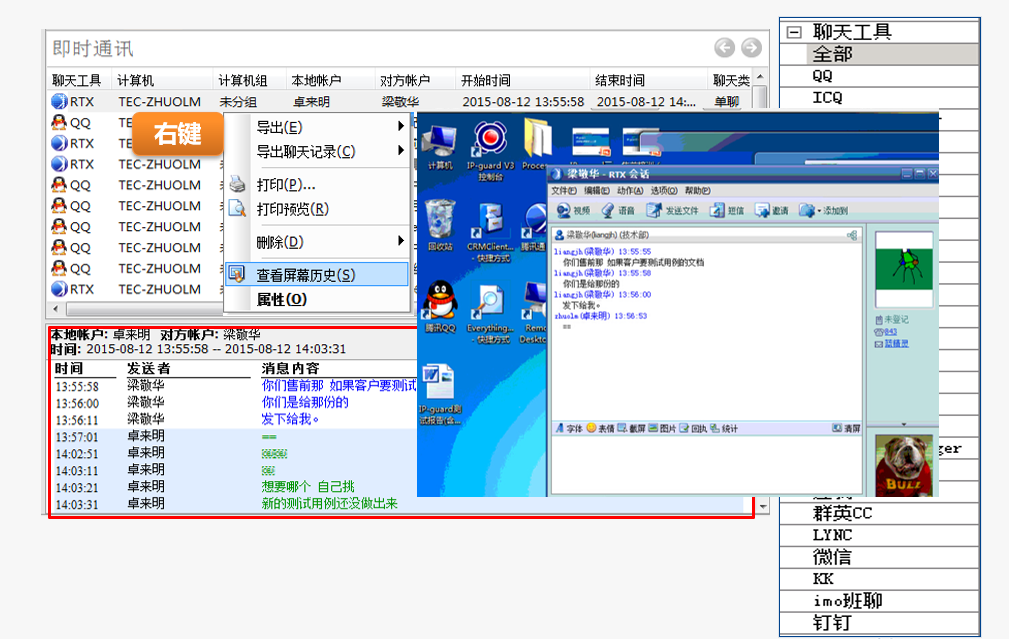
Audit chat content: detailed chat logs covering more than 25 messaging tools, with chat screen replay for retrospective investigation.
Restrict files sent over IM
Email control
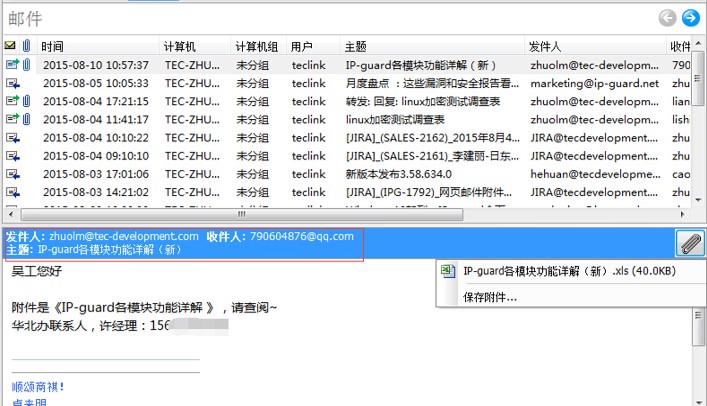
Audit email traffic: record sender and recipient, subject, body and attachments of outgoing mail, covering standard mail, Exchange, webmail and Lotus Notes.
Govern outbound mail: filter by sender, recipient, subject, attachment name and size, enforce mandatory CC and prevent email leaks.
Web browsing control
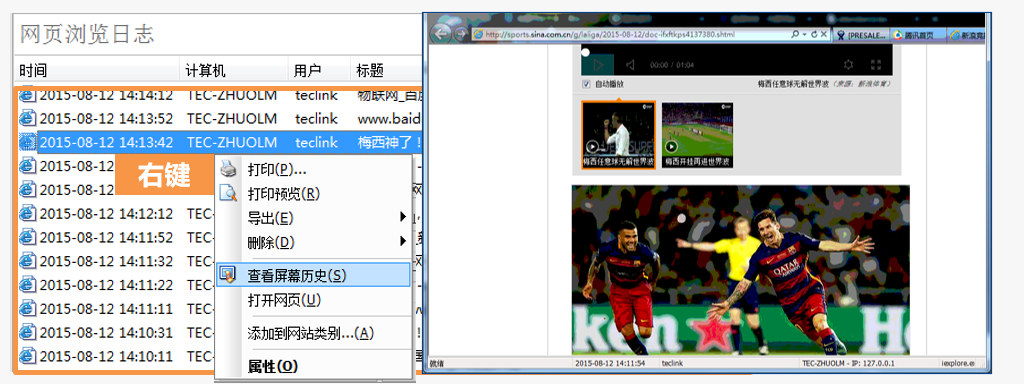
Record web history: log page titles, URLs and timestamps, and replay screen history to see exactly what was viewed — full traceability.
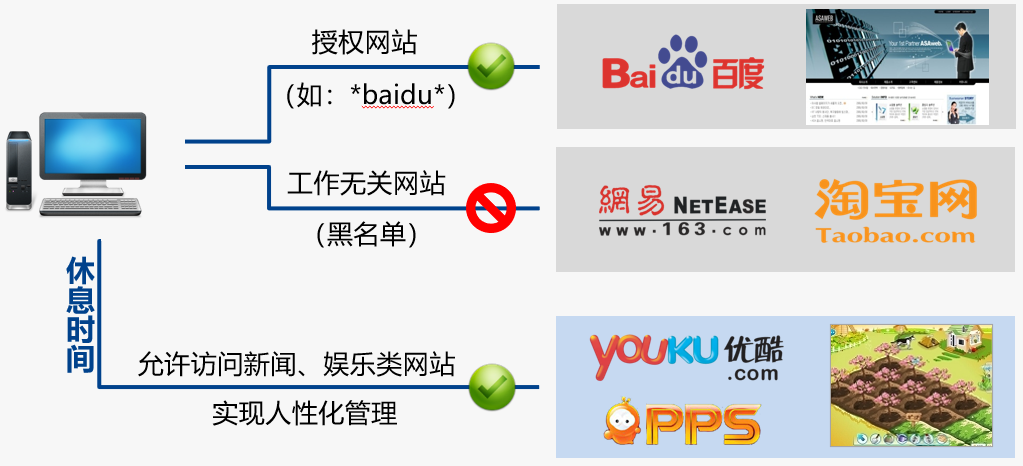
Block irrelevant sites
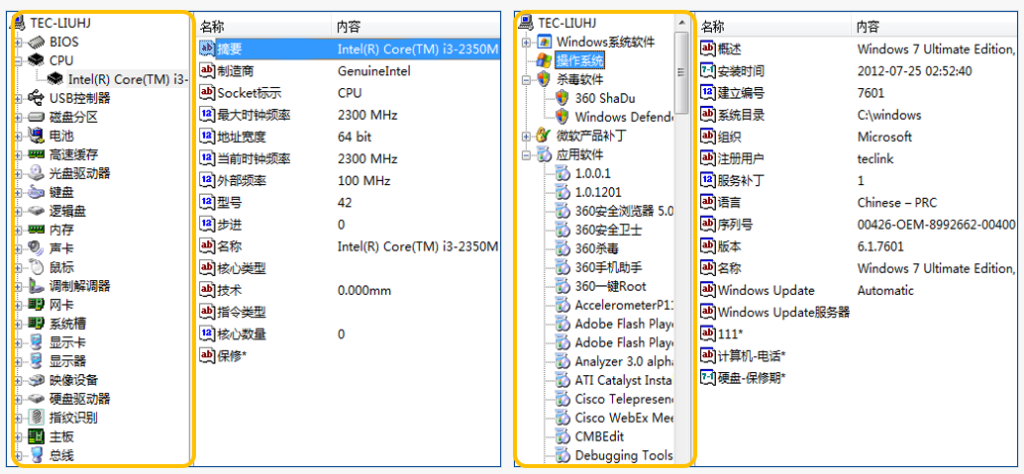
Asset management
Automatically detects software and hardware assets, flags and alerts on changes, and supports custom queries.
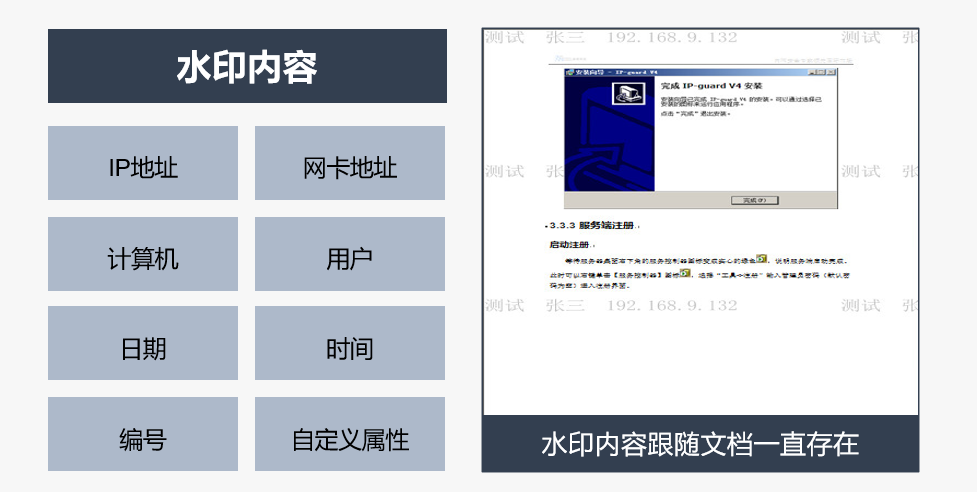
Watermarking
Screen watermark: watermark shown on screen or when a specific application starts.
Print watermark: watermark applied to paper when documents are printed.
Document watermark: visible text watermark in the body that travels with the document, plus an invisible watermark embedded in the content and file properties that stays with the file.
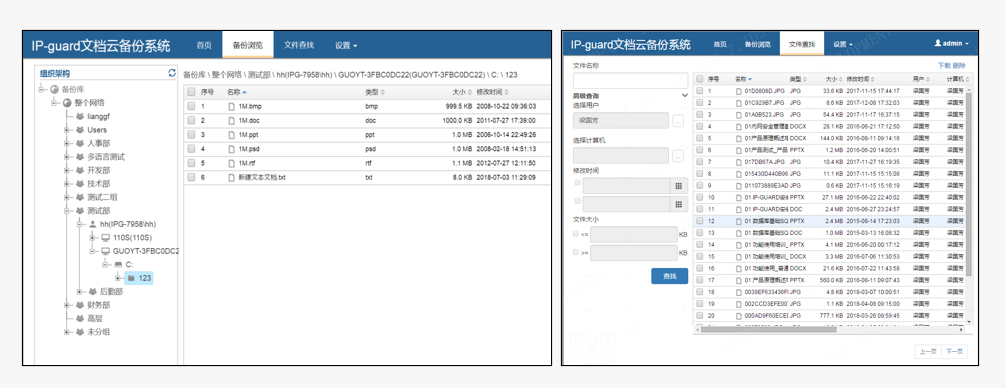
Document cloud backup
Automatic backup
Scheduled backup: full backup of endpoint files on a schedule, for example on the first day of every month.
Event-triggered backup: capture new documents (create, save as, copy to, drag to, move to) and modifications (rename, edit content, copy over, drag over, move over).
Full-disk scan backup: create a scan task manually, choose computers and file types, and start scanning and backing up.
Backup policy: include files, exclude files, size range, interval, bandwidth and time window.
Version management: keep multiple historical copies of a single endpoint file.
Deduplication: identical documents are detected by content and size, and only one copy is uploaded to the server.
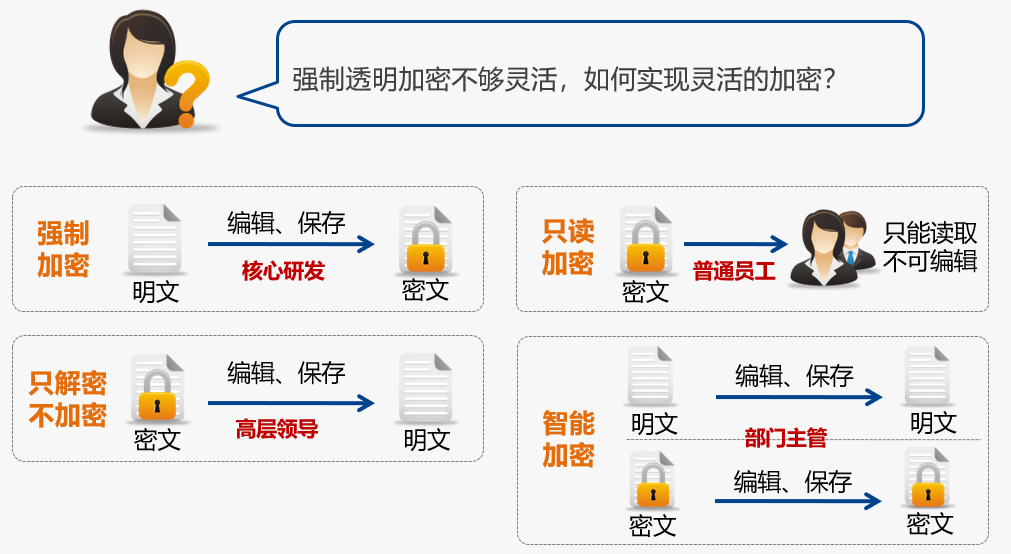
Document encryption
Transparent document encryption: encryption happens automatically without changing how users work.